
 Revit plug-in
Rebar automation,
done inside Revit
Decisions on splices, development, cover and order lengths used to live in the heads of experienced engineers. REBO turns them into rules. It reads the Revit structural model, places the rebar, makes those decisions and carries straight on to quantity takeoff. No switching between tools; everything happens in Revit.
REBO v1.0 applies Korean design standards (KCI, KSEA). Other standards are on the roadmap.
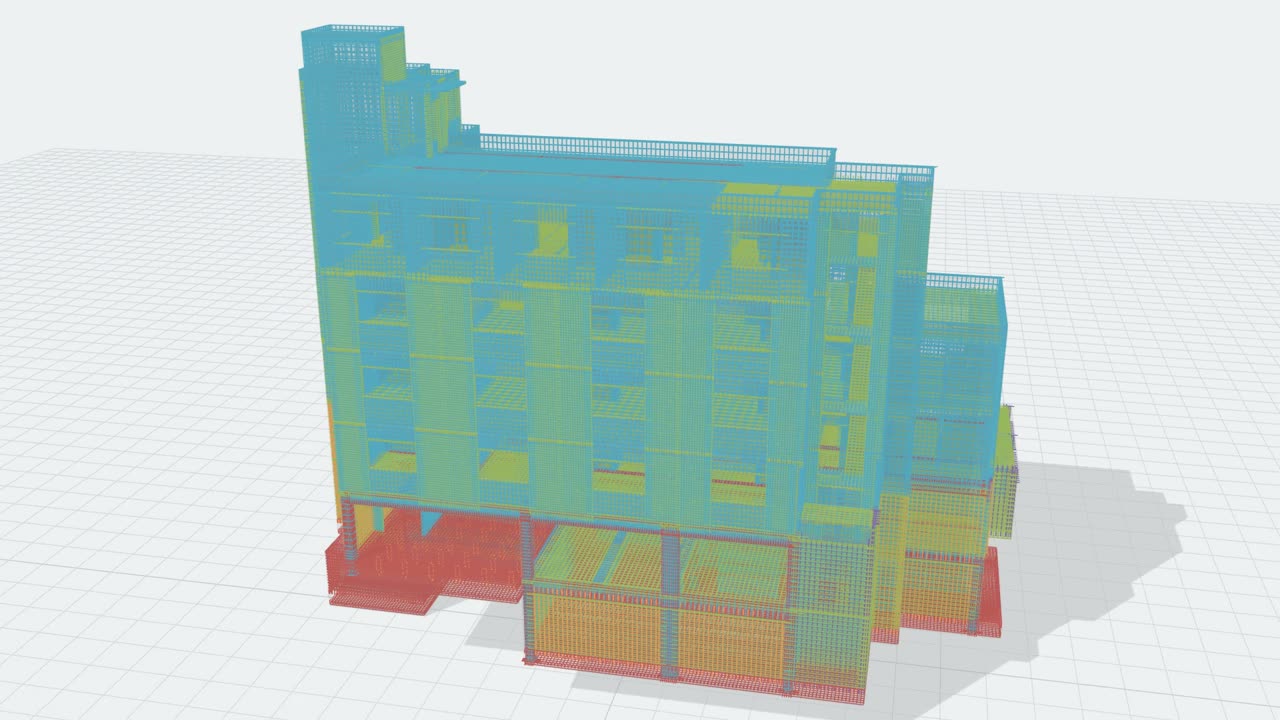
Measured on a real building: 778 members, 67,360 bars, about 9 minutes · Real Revit model data
What REBO does, in 70 seconds
Rebar is still outside BIM
Structural geometry, concrete and formwork are counted straight from the model. Rebar alone is still counted separately, from 2D drawings and Excel sheets. The item counted most often, and recounted with every design change, sits outside the model.
Inside the BIM model
Outside the model · 2D drawings and Excel
Same building, yet rebar quantities differ by more than the 3% waste factor
Teams didn't skip it for lack of need. The tools weren't there
Many companies have tried modeling rebar in Revit, and most stopped after one or two projects. Not because they didn't need it, but because getting the benefit cost too much.
Tens of thousands
Modeling was too slow
Revit's native tools place and adjust members one at a time. A single apartment building holds tens of thousands of bars.
「2D is always faster, even if it's less accurate」 — Autodesk user forum
People
The decisions were still manual
Splice positions and types, development, cover and order lengths had to be set one by one by someone who knows reinforcement. That person and the Revit operator are usually not the same.
One-off
The effort didn't pay back
The model wasn't linked to the quantity sheets, and every design change meant redrawing. Nothing carried over to the next revision or the next project.
That math started to change once a tool could handle both placement and the decisions
What changes with REBO
| Problem | Until now | With REBO |
|---|---|---|
| Slow | Manual modeling taking hours to days per floor | Down to tens of minutes |
| Hard | Splice, development and cover decisions need someone who knows both rebar and Revit | Conditions are decided automatically, less reliance on specialists |
| Fragmented | Jumping between separate tools such as Dynamo or Lisp | Everything in Revit |
| Costly | Rebar BIM modeling outsourced or left to specialists | Outsourcing and specialist cost replaced by the product |
What REBO does
It starts from the Revit structural model and carries on through reinforcement decisions to quantity takeoff.
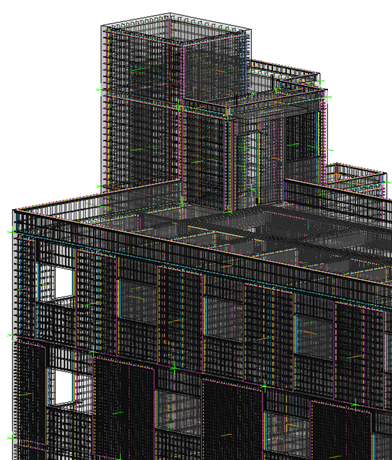
Automatic reinforcement
Recognizes columns, beams, walls, slabs and foundations, and generates rebar to KCI and KSEA standards.
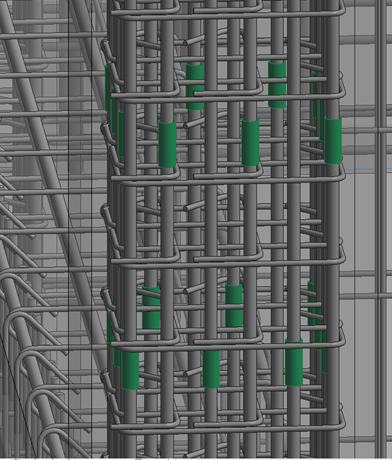
Auto Configuration
Decides splice positions and types, development, cover and order lengths according to the conditions.
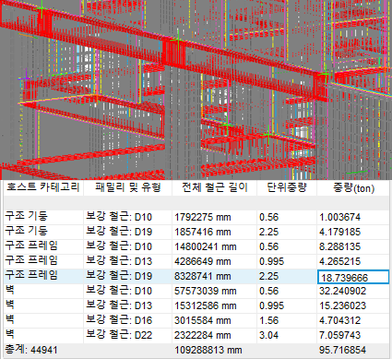
Quantity takeoff
Once reinforcement is final, rebar quantities are recalculated right away and can be checked in a Revit schedule.
Feature video
From moving CAD section data into an Excel schedule and loading it into REBO, to automatic reinforcement and checking quantities
Real screens
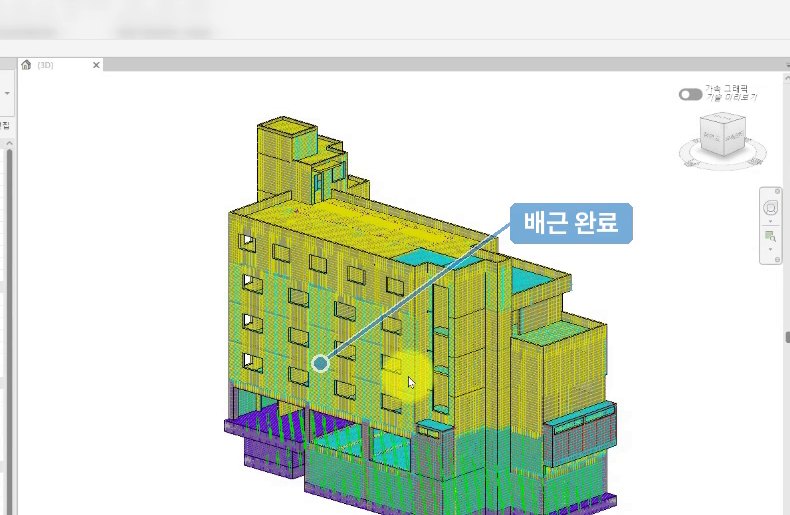
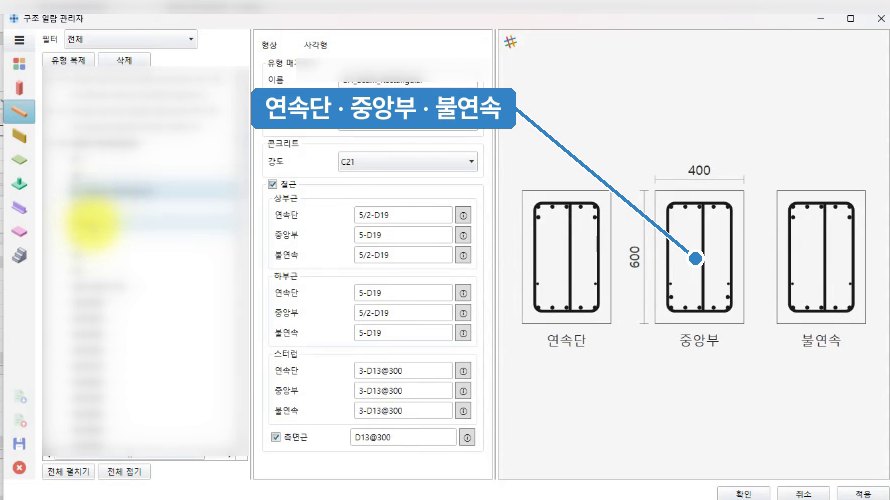
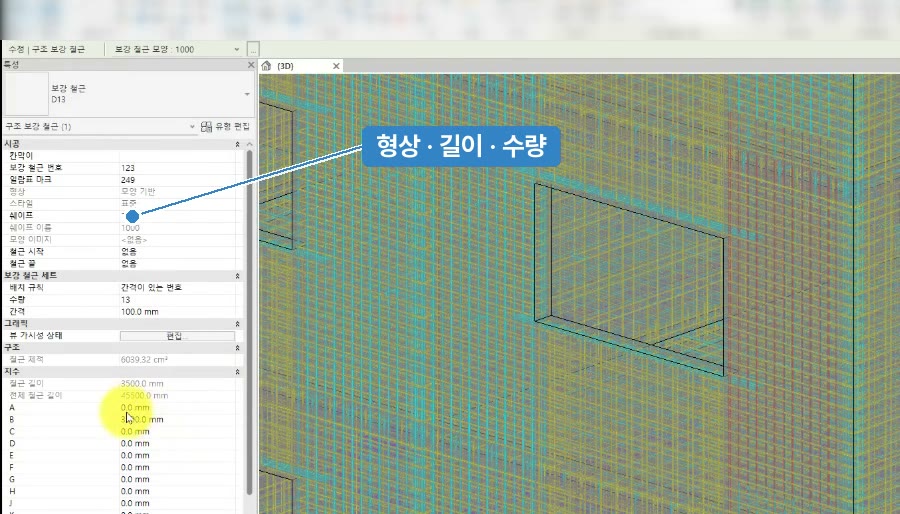
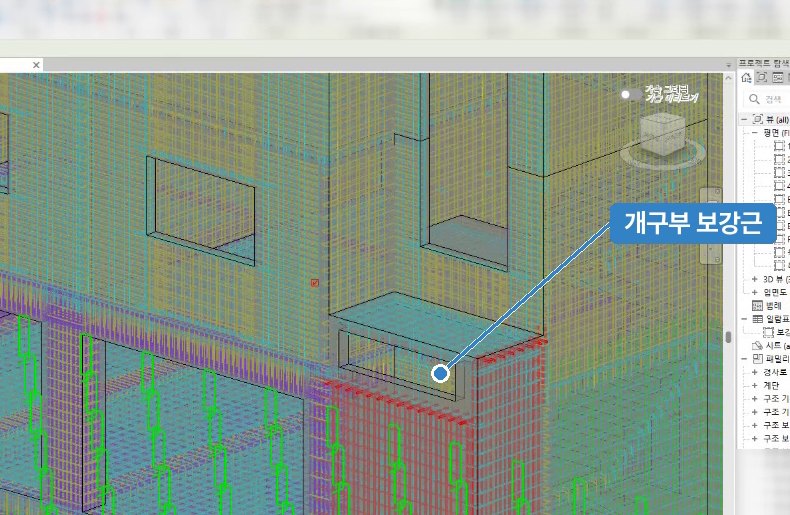
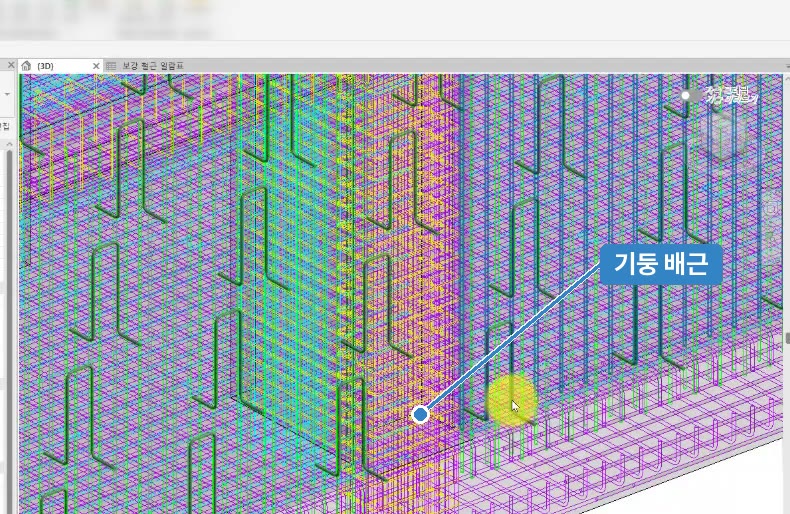
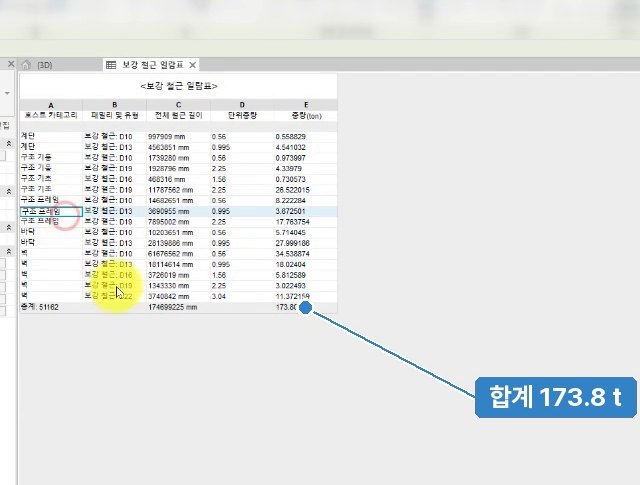
Placing rebar and deciding its conditions are different jobs
Rebar automation has two stages. On top of placing the bars, REBO decides the reinforcement conditions.
Auto-placing
Generates and places bars in 3D. Many products cover this stage, but conditions such as splices, development and cover are still left to people.
Auto Configuration
Decides splice position, length and type, development method, cover thickness and order lengths according to the conditions. Design standards and the judgment of experienced engineers are turned into logic, so results follow the same rules whoever runs it.
| Item | Typical Revit rebar tools | REBO |
|---|---|---|
| Rebar placement | Templates applied member by member | Whole structural model in one run |
| Splice position and type | Set by the user | Decided by the standards |
| Development and cover | Set or entered by the user | Decided by the standards |
| Order length | Reviewed separately | Decided together |
| Design standards | Product defaults adjusted by the user | KCI and KSEA built in |
| Quantities | Schedules prepared separately | Recalculated as reinforcement is finalized |
What changes when rebar becomes BIM data
What actually changes in the office and on site once rebar is an object in the model. What works today and what comes later are marked separately.
| Scene | Today | When rebar is data | |
|---|---|---|---|
| Basis of quantities | The total is easy to give, but "why is there so much rebar in the 3rd-floor beams?" means digging back through shop drawings and Excel | Bar counts and kg by floor, member and diameter stay attached to each member ID, so you can see at once which item differs and why | Available now |
| Design changes | You only learn how many tonnes R01→R02 added. Changes to reinforcement conditions alone are easy to miss | Members are compared by ID to show additions, changes and deletions. If concrete is unchanged but rebar changed, it is flagged as a reinforcement condition change | Available now |
| Clashes and congestion | Column and beam drawings are each correct. Overlaps only show up after the bars are set on site, then they are cut, bent and set again | Overlaps at joints are checked in the model first, and the engineer decides where to move them | Available now |
| Company data | Unit rates depend on personal experience and old spreadsheets; waste factors follow habit | Quantity sheets build up in one format and become company baselines by building use and structural type (RV) | Available now |
| Fabrication and ordering | Fabricators rebuild bar lists from the drawings, and count differences lead to extra orders | The model's shapes, lengths and counts go straight to fabrication and ordering | Roadmap |
Why work fixed by hand on site needs to move to the design stage
1.34 million
Skilled construction workers in Korea (2025)
−8%
Year-on-year decline
51.7
Average age
Source: Construction Workers Mutual Aid Association (Korea), Yonhap News 2026-02-01
What works now and what comes next
The trial and current scope are v1.0. Automatic shop drawings are planned for v3.0.
v1.0
Released October 2026
- Automatic reinforcement of main members: columns, beams, walls, slabs, foundations
- Auto Configuration: splice position, development, cover and order length
- Quantities recalculated as reinforcement is finalized
- Design standards: KCI, KSEA (Korea)
v2.0
2027
- More member types
- Detailed settings for splices, development and cover
v3.0
2028
- Drawings: automatic shop drawings
- Link to fabrication and ordering
- ACI and Eurocode standards
Turn REBO quantity sheets into company rebar data
RV is a web service that turns the quantity sheets REBO produces into your company's structural track record; you just drag and drop them. Compare revisions side by side whenever the design changes, and use the records you build up to estimate new projects. Free during the beta (until November 30, 2026).
Revit structural model
An existing model or one built from drawings
REBO
Rebar placement + splice, development, cover and order length decisions (KCI, KSEA)
Quantity sheets + model
Per member ID · SAT
RV
Revision comparison · company records
Next estimate
Company baseline
↻ The baseline gets firmer with every project
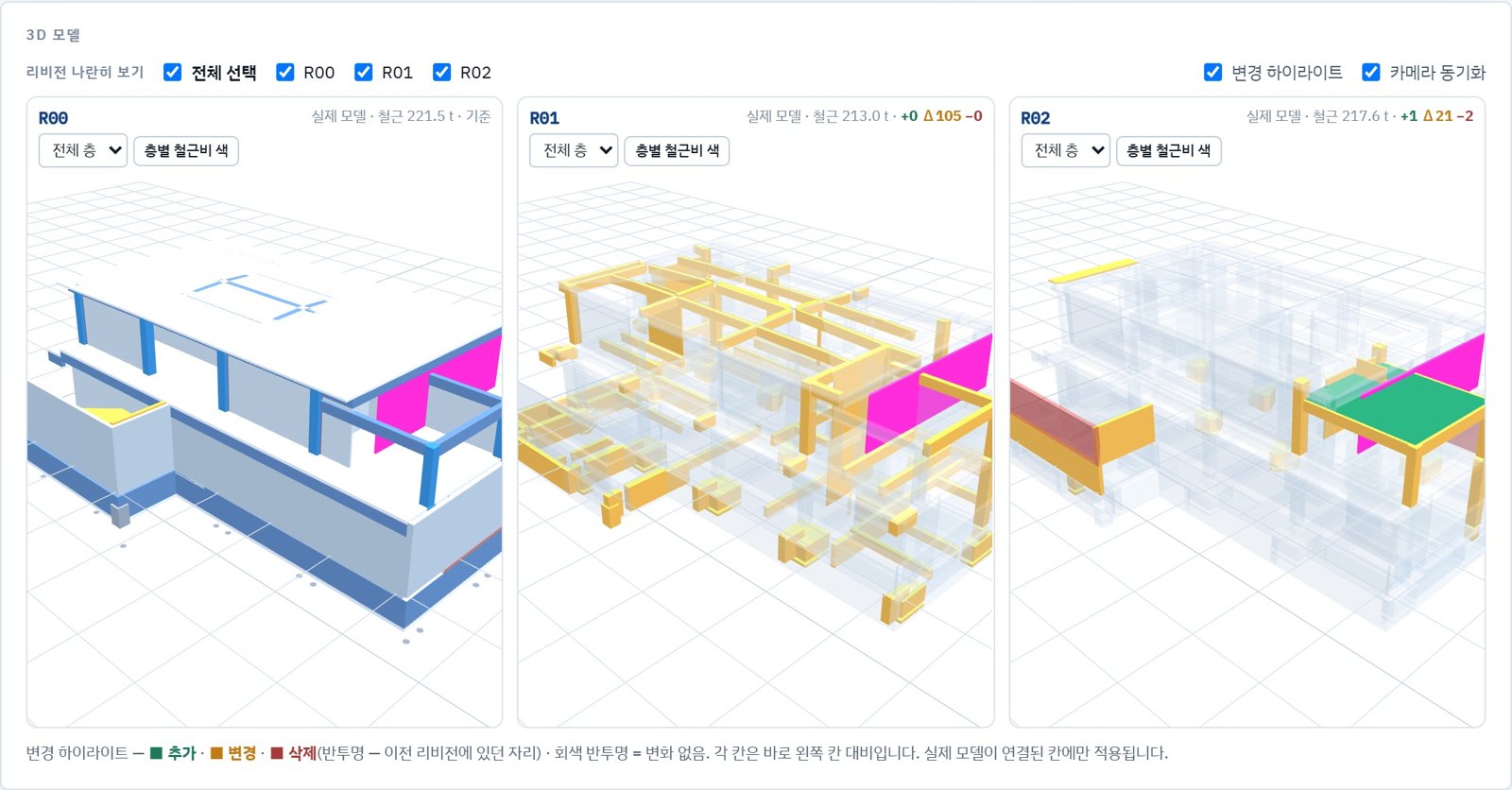
Changed members show up in color
Added in green, changed in orange, deleted in red. Up to four revisions side by side with linked cameras. On projects with frequent plan changes, see what changed without comparing drawings.
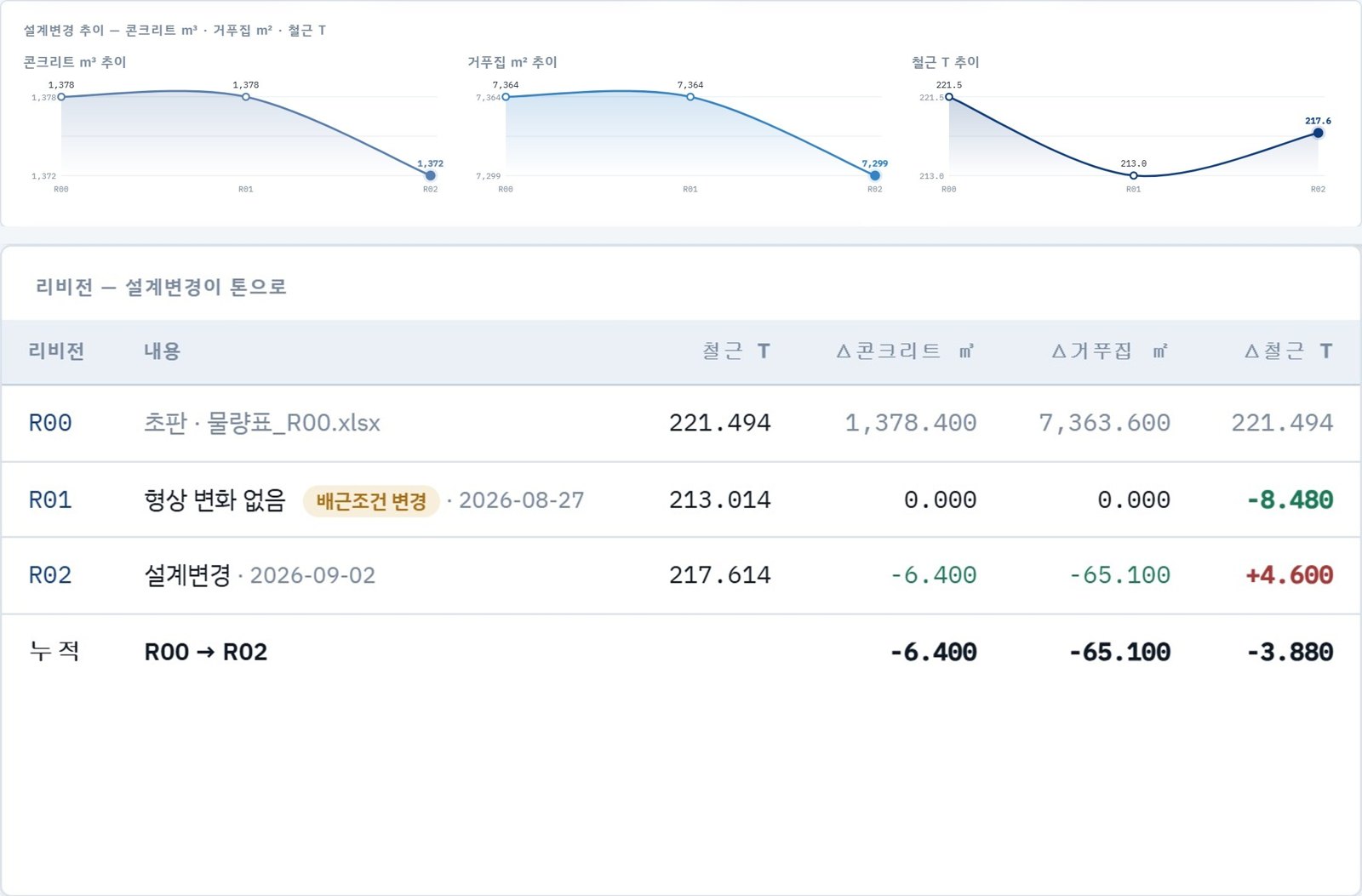
You can see how quantities reached today's numbers
Rebar and concrete trends build up per revision, with the reason for each change recorded. The history stays even when staff change, and quantity comparison reports go straight out as Word or PDF.
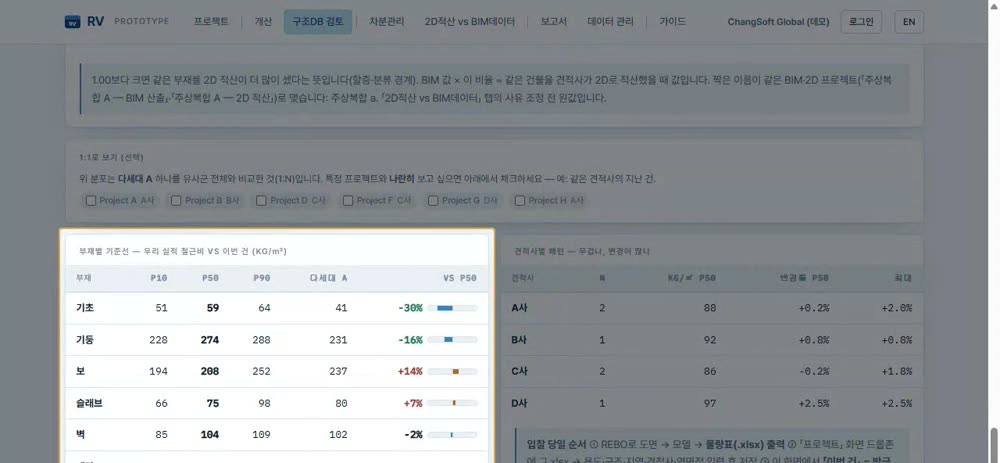
Outlier members stand out at once
Projects of the same use and structural type are grouped to show median values by member. Bars show how far a new project sits from the baseline, so you know where to look first.
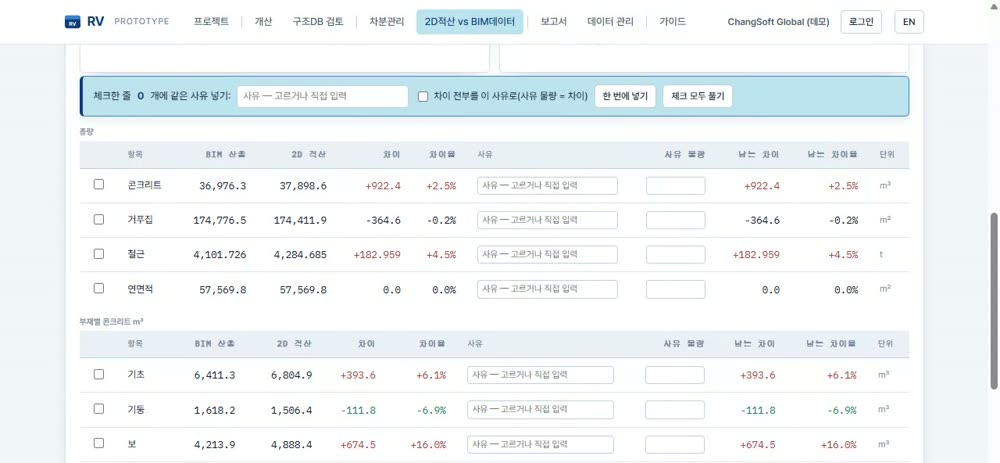
Differences are split by reason
The estimator's 2D takeoff and the BIM quantities sit side by side in one table. Differences appear from the total down to member and floor, and each line gets a reason for the reconciliation report.
Original files are never sent. Quantity sheets are read in the browser and only numeric records are stored.
Try it first with a 2-week trial
We provide a 2-week REBO trial license. Reinforce your own Revit structural model and check the quantities yourself. REBO runs on Revit 2026 and 2027.
1
Request a trial
Leave your company name and contact details on the contact page.
2
License issued
We send you the installer and a 2-week trial license.
3
Use it on your model
Run automatic reinforcement and quantity takeoff on your own Revit structural model. We're here to help with any questions.
Built from scratch by people who know reinforcement
REBO was developed from scratch on Revit. Its reinforcement decisions rest on the know-how of ChangSoft Global engineers who have planned and built automatic reinforcement software for nearly 20 years. People who know which rules govern splices, development and cover, and which reinforcement causes problems on site, turned that judgment into logic.