
What AI can actually do in Revit today
Videos of “AI modeling in Revit” are everywhere. But go to the vendors' own documentation and the public repos and the line gets sharp — reading a model works today; creating one doesn't, yet.
Published July 30, 2026·Last checked · July 2026
Key points
- Using AI to read and analyze a BIM model works reliably today — creating and editing, the real meaning of “modeling,” is not yet trustworthy
- Autodesk's official server (June 2026, Tech Preview) is read-only by design — a write server for creation/editing is planned
- Community tools that can write will make walls and columns but break on complex members like stairs
- The widely repeated claim that “Revit 2027 ships with a built-in MCP server” is not true
- What AI can't easily replicate isn't querying a model — it's rebar logic with the code built in
1Reading works. Writing doesn't — yet.
Demos of “tell the AI to model in Revit” are everywhere. But check the primary sources and the conclusion is clear — reading and analyzing a model works today, reliably. Creating and editing one — “modeling” in the real sense — is not yet at a level you can trust.
Reading is already production-grade; writing still fails on a single staircase.
Every statement here was verified against vendors' own documentation and public-repo READMEs.
2First, a widely repeated myth
“Revit 2027 ships with a built-in MCP server that turns on automatically” — a popular blog said so and it got quoted widely. It's not true.
Per Autodesk's own announcement (June 2026), the Revit Public MCP Server is a separate add-on for Revit 2027 that you download and install from your account, and it does not turn on by itself — it's a Tech Preview. One popular article's comments include readers who “wasted a day” unable to find how to connect it.
3Three ways AI touches Revit
All use the same protocol — MCP — but they differ in where Revit runs.
| Path | What it does | Status |
|---|---|---|
| A. Autodesk official server | Query the model, read elements, export views (7 tools) | Read-only · Tech Preview. Writing was deliberately excluded; a creation server is planned |
| B. Community servers | Create walls, beams, floors, structural framing; run code on the fly | Can write, but unstable. Simple members work; complex ones fail |
| C. APS Automation | Headless processing in the cloud, no desktop Revit | The repo itself calls it a “proof of concept” — not for production |
The action is in B — where “AI modeling” actually happens. The C# line (★260+) is fast and predictable with 26 pre-built tools but can't go beyond that tool list; the Python (pyRevit) line generates and runs code on the spot, so it can in principle do anything — but it's slow and unstable.
4What works, and what doesn't
Published hands-on tests draw the line clearly.
What works today — batch-fixing model warnings (23 resolved automatically in one test), colour-coding by parameter, generating a project-info dashboard, repetitive tagging. Light, repetitive work.
What doesn't yet — in one hands-on tutorial the wall was created but the staircase failed. In its words: “AI code runs well for light, repetitive tasks, but for complex work like modeling it's still finicky and hard to trust.” Anything that involves a dialog or UI interaction falls apart.
AI is wrong in convincing ways.
In one test Claude counted a stair's risers as 26 and flagged a code violation — but it was actually 13 + 13 with a mid-landing. When a person noted “there's a landing,” it re-queried the model and corrected itself.
- Context fills up fast — many queries against a large model hit the session limit quickly. Splitting by floor or trade is the realistic move.
- Model operations are hard to undo — work on a copy, never the live project file.
- Security and confidentiality — connecting a client's model to an external AI service needs contractual and security review first. Even when it runs locally, the model data still travels over an API.
5So — what about rebar?
Here's our view. Once Autodesk standardizes model reading, “ask your BIM model a question with AI” becomes a basic feature everyone has. That's not where the competition is.
What AI can't easily replicate isn't querying a model — it's rebar logic with the code built in. At a stage where it can't reliably build a single staircase, deciding lap position, anchorage, cover and joint fit deterministically, to standard, is not something probabilistic generation can stand in for.
Rebar doesn't need “plausible.” It needs “to code.”
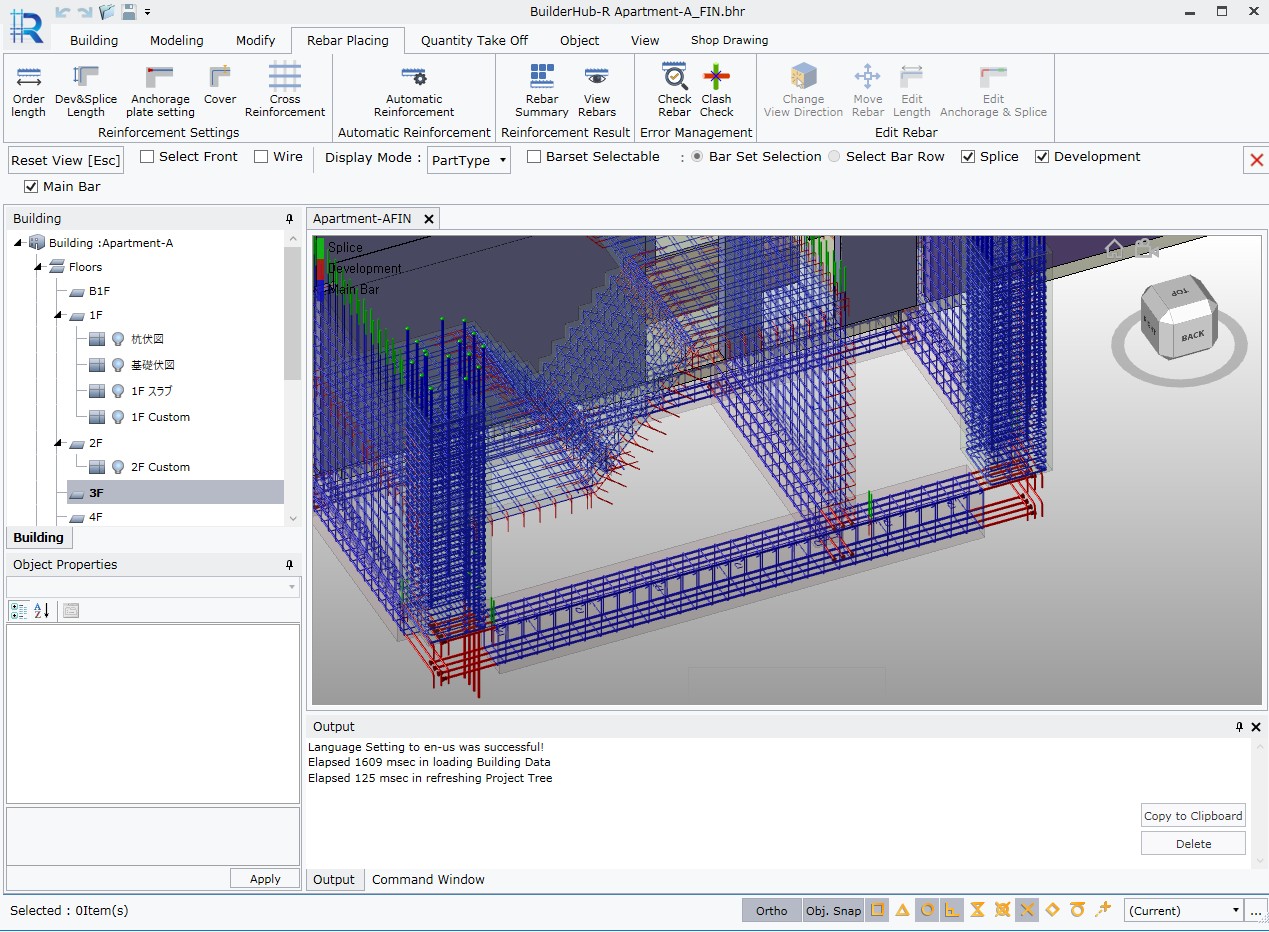
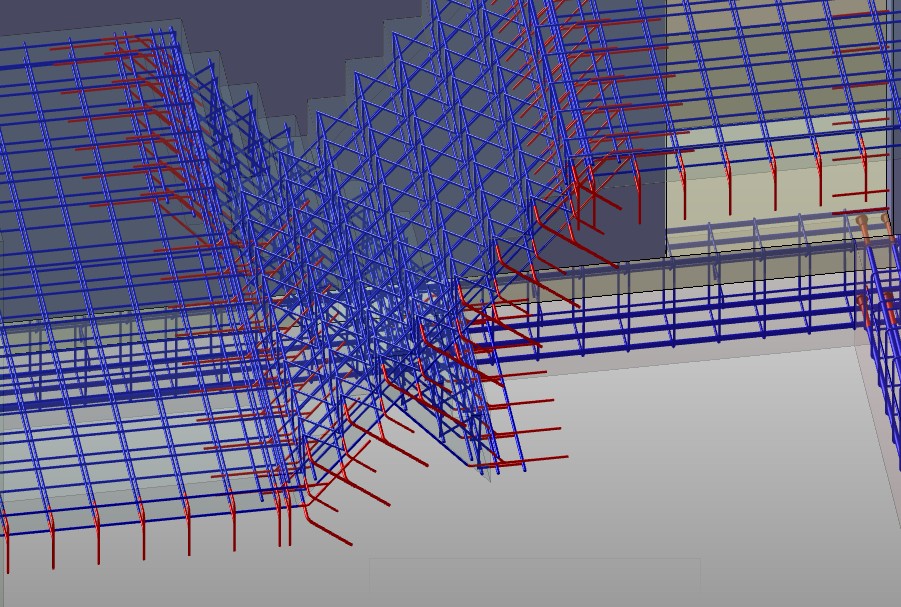
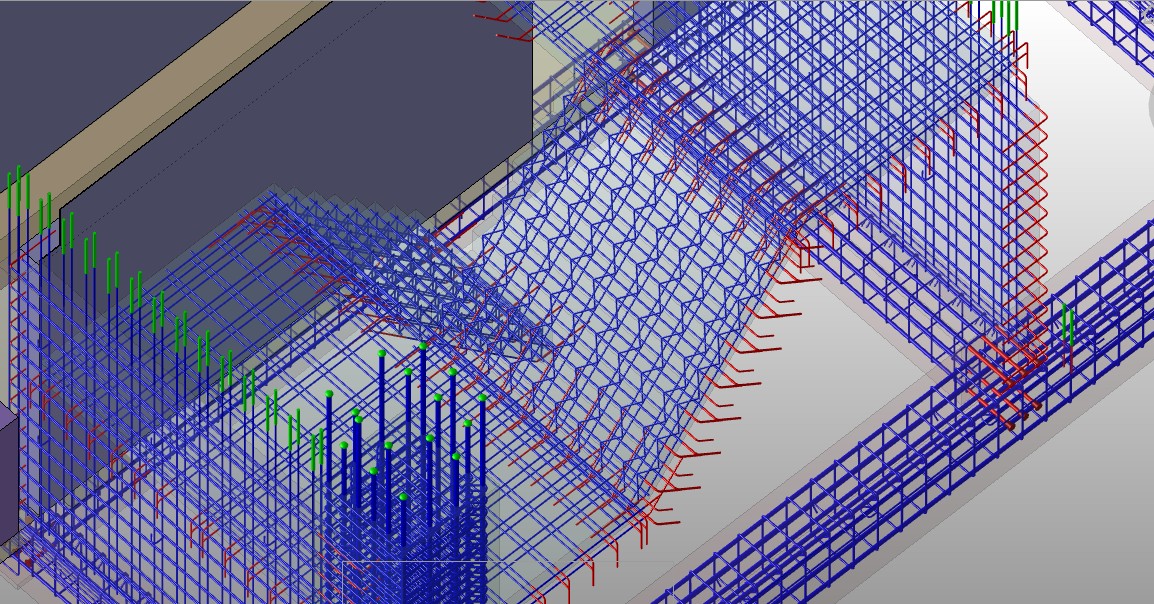
And this isn't a claim — it's an output. The exact object AI stalls on — a staircase — BuilderHub fills in with a single click. Below is a standard staircase, its rebar auto-generated to JIS in one click — fast, precise, and buildable even by a non-expert.
Sources
- Autodesk MCP Servers — Revit Public MCP Server (read-only · Tech Preview)Autodesk
- mcp-servers-for-revit — C# add-in, 26 tools (Revit 2020–2026)GitHub
- mcp-server-for-revit-python — pyRevit Routes, runs code on the flyGitHub
- aps-sample-mcp-server-revit-automation — cloud-headless “proof of concept” sampleAutodesk Platform Services
This article is a summary compiled from published material. It is not a legal interpretation and does not constitute advice. Regulation changes frequently, so please check the original documents and the latest notices from the responsible authority before relying on it in practice.